

Unlock Savings — 10% Off On First Invoice

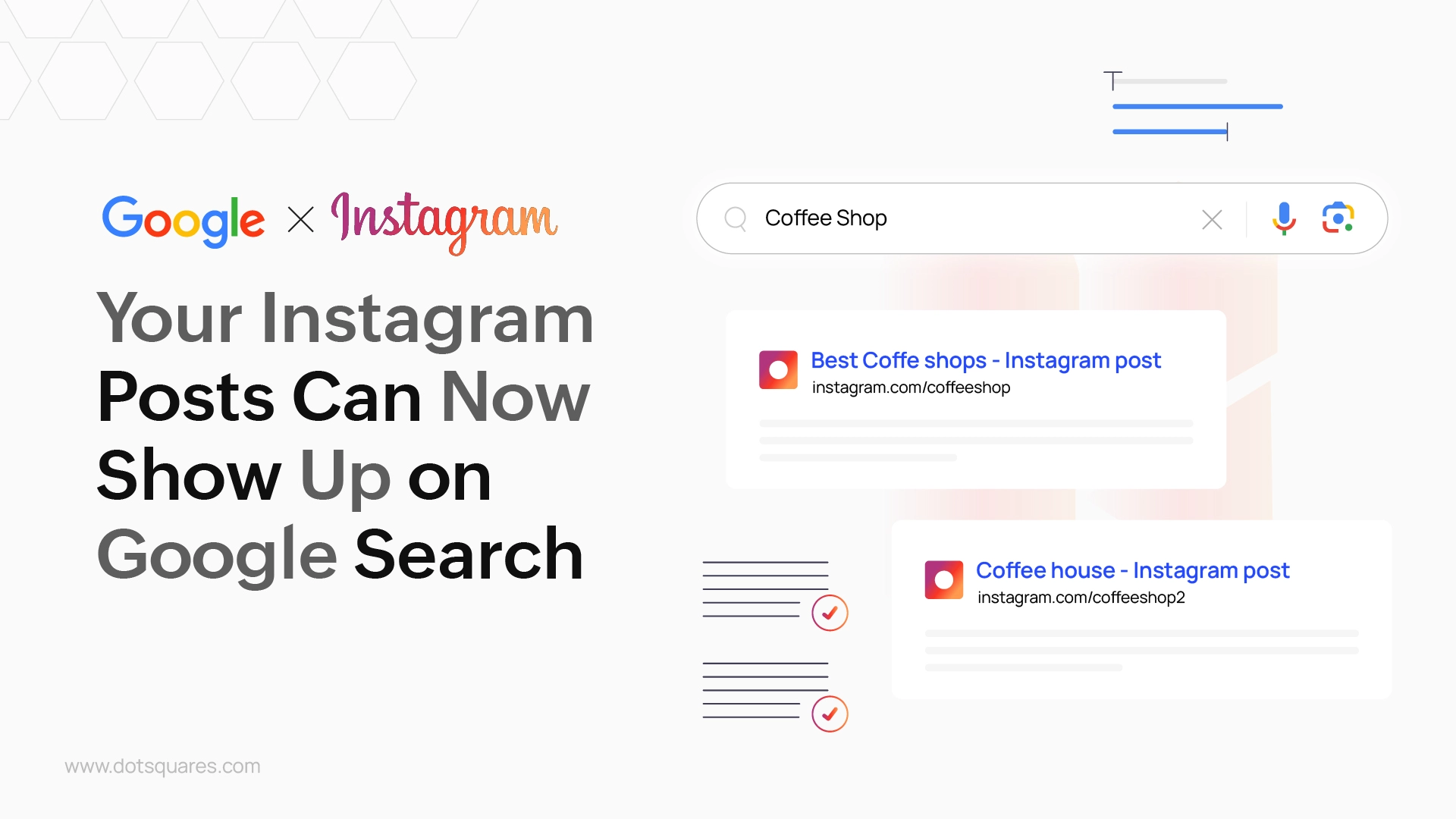
Remember how your Instagram posts mostly lived inside the Instagram app? Well, that all changed in a pretty big way. Starting July 10, 2025, public Instagram business and creator accounts' posts began showing up inside Google search results. That's right, your photos, videos, short clips (Reels), and slideshows (carousels) can now be found by anyone searching for something on Google whether or not they use Instagram at all.
That's a big thing for anyone who does their work on Instagram or posts what they've created. Consider it: previously, when you Googled, you could get sites, news stories, or YouTube videos. Now your public work on Instagram can appear right alongside them. It's as if Instagram just opened this enormous door to the rest of the web for your public work.
For a time, Instagram posts remained somewhat in their own bubble. You'd see your friends' posts, hashtags, or on the "Explore" page. It was kind of a closed club for your posts. But the way people search online evolves constantly. More and more, people search for instant ideas, visual inspiration, or instant tips directly on social apps.
Due to this, the creator of Instagram made the decision to allow top search engines such as Google to see and share your public professional content. It helps Instagram remain relevant in the way that individuals seek things on the internet. To you, your content has a significantly better possibility of being discovered by fresh eyes.
This new measure has some really wonderful prospects for you. Let us have a look at how this can support your online presence:
As exciting as that is, here are a few things you need to know:
Now that your Instagram posts are up on Google, you might as well check out your posts to ensure they are properly configured to operate nicely. Here are the simple steps that you need to follow:
1. Write Good Captions with Important Words: Consider your Instagram captions as mini articles. When you write them, use fewer words and sentences that your visitors can look for on Google to get something similar to your post. Suppose if you create custom bags, rather than using mere "New bag!", you can use: "Our recycled material jute bag is ideal for your Bangalore daily shopping." Make it sound as natural-sounding as possible and still informative, not mere words put together.
2. Add Good "Alt Text" to Your Images: This is a secret description of your images. It assists individuals who are unable to see the images very clearly, but it helps Google a lot to understand what your image is about. When uploading an image, find the "Advanced Settings" option. There, you can describe what is in the image in detail using keywords that others might search for. For example, "A colorful dish of vegetable biryani with green salad, a nutritious dinner recipe idea."
3. Use Hashtags Strategically: Hashtags make others discover your post on Instagram, and now they even give a clue to Google about your post. Use a few trending hashtags and some very niche hashtags to your post. Not many of them, but they must really define your post.
4. Make Your Profile Obvious: Your Instagram handle, your ID, and the content in your "bio" (what appears below your name) are all very important. Ensure that they clearly state what you do, whom you assist, and where you're located (if location is important). If you're a "Fitness Coach in Pune," ensure that's noted in your bio.
5. Create Helpful, Evergreen Content: Google prefers content that actually assists or teaches individuals. Attempt to post something giving answers to frequently asked questions, offering brief "how-to" tips, providing quick tips, or providing reviews. These sorts of posts will be likely to remain at the top of Google search results in the long term.
6. Know Your Privacy Settings: The best part is, you're in charge! This new feature is enabled by default on public business and creator accounts (as long as you're 18 or older). But if you don't want your public Instagram posts to appear in Google search, you can easily disable it in your Instagram settings. Just go to Settings → Privacy → Allow public photos and videos to appear in search engine results, and just toggle it off. If your account is personal or private, your content will not be indexed by Google to begin with.
That significant shift implies your Instagram is no longer a space where you share moments with friends. It's now a powerful means through which people discover information and connect to businesses and creators online. It harmonises what you do on social media and what people look for on the web.
By following these easy steps, your Instagram content will be viewed by a lot of other people. It's an excellent method to enhance your online presence even more and allow other people to view your great job more than ever.


 November 19, 2025
Free AI website builders sound great, but the hidden limits, risks, and long-term costs can hurt your business. Learn the truth before you build your next website.
Keep Reading November 19, 2025
Discover 2025’s top digital marketing trends AI, voice search, video, personalization & ethical branding. Stay ahead with Dotsquares’ expert solutions.
Keep Reading November 14, 2025
Discover how Dotsquares elevate modern social media marketing with tailored SMM strategies that boost engagement, build trust, and drive business growth.
Keep Reading